
Your Phone is Dirtier Than a Toilet Seat (Here’s How to Clean It)
Introduction
Knowing the correct way to clean your tech gadgets is arguably the most overlooked aspect of personal hygiene in the 21st century. I have a question for you, and I want you to be brutally honest with yourself: When was the last time you actually sanitized your smartphone? And no, quickly wiping it on your jeans or using your t-shirt doesn’t count.
We take our phones absolutely everywhere. We scroll through Twitter while eating lunch, we text while holding onto subway poles, we use them at the gym while sweating, and yes—let’s admit it—most of us use them while sitting on the toilet.
It is gross to think about, but scientific studies from the University of Arizona have shown that the average smartphone carries about 10 times more bacteria than a toilet seat. That includes pathogens like E. coli, Staphylococcus, and Streptococcus. Basically, we are walking around carrying a petri dish of germs, and then we press it right up against our faces to make a call.
But before you run to the kitchen and grab the bleach, stop! Smartphones are delicate pieces of glass and electronics. Failing to clean your tech gadgets the right way can ruin the oleophobic coating on the screen or damage the internal components permanently. Here is the safe, professional, and science-backed way to sanitize your devices without breaking them.
1. The Science of the “Oleophobic Coating”
Most people ruin their phones because they treat the screen like a bathroom mirror or a kitchen window. Modern smartphone screens (iPhone, Samsung, Pixel) are coated with a special layer called an “oleophobic coating.”
This is an oil-repellent layer that makes the glass feel smooth to the touch and helps resist fingerprints. It is what makes swiping feel satisfying. If you use harsh chemicals like Window Cleaner (Windex), Bleach, Vinegar, or generic Hand Sanitizer, you will strip that coating off chemically.
Once it is gone, your screen will feel rough, sticky, and it will become a permanent magnet for grease and dirt. Also, never use paper towels, napkins, or facial tissues. They are made of wood pulp and are abrasive enough to leave microscopic scratches on the glass over time. Understanding this delicate chemistry is the first step to learning how to clean your tech gadgets properly.
2. The Ultimate Cleaning Toolkit
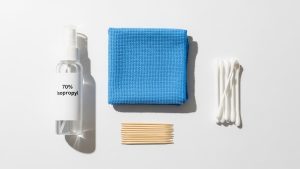
You don’t need expensive kits from the Apple Store. You just need the right chemistry. According to official guidelines from Apple Support and Samsung, here is what you actually need:
-
Microfiber Cloths: Invest in a pack of high-quality, lint-free microfiber cloths. They trap dust and bacteria within their fibers rather than just pushing them around like cotton does.
-
70% Isopropyl Alcohol: This is the magic number. Do not use 100% alcohol; it evaporates too quickly to kill the cell walls of bacteria. Do not use 50%; it contains too much water. 70% is the perfect balance for sanitizing electronics.
-
Wooden Toothpicks: Essential for digging out pocket lint from ports.
-
Cotton Swabs (Q-tips): For cleaning speaker grills and corners.
3. Tools You Need to Clean Your Tech Gadgets Properly
Now that we have the tools, let’s look at the method. First, unplug your phone and turn it off. This isn’t just for safety; a black screen makes it much easier to see the smudges, oil, and fingerprints that need removal.
The Spray Rule: Never spray liquid directly onto the phone. If liquid gets into the speaker grill, microphone hole, or charging port, it can trigger the “Liquid Contact Indicator” inside your phone, voiding your warranty, or worse, causing a short circuit.
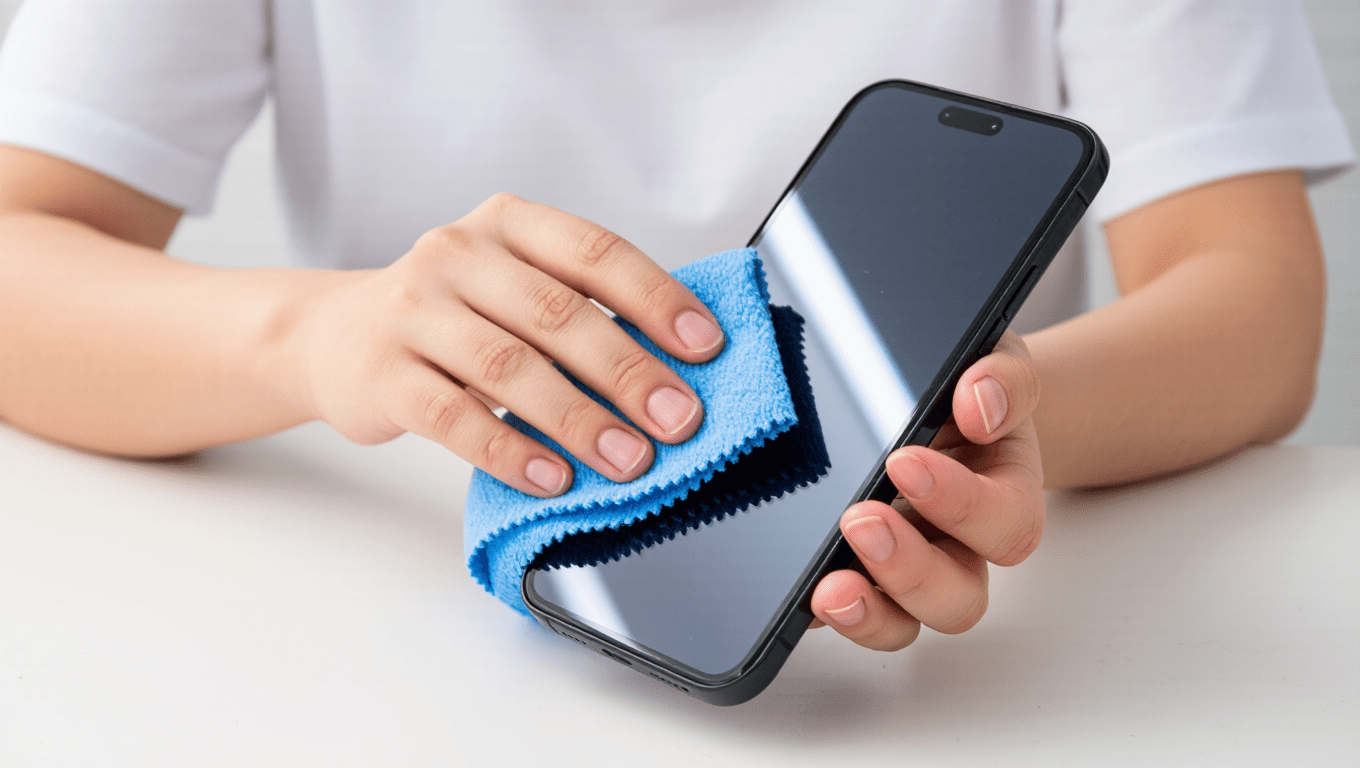
Instead, spray a small amount of the 70% alcohol onto your microfiber cloth until it is damp, not dripping. Gently wipe the screen in small circular motions. Don’t press too hard. You will see the oils dissolve immediately. Flip the cloth to a dry side and give it a final polish. It is oddly satisfying to see your phone look brand new again. This gentle friction combined with alcohol is the most effective way to clean your tech gadgets.
4. The Charging Port: The Hidden Dust Trap
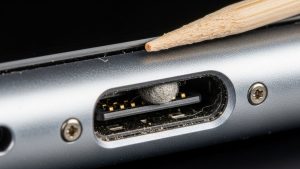
Is your phone not charging properly? Does the cable feel loose or wiggle around? 90% of the time, your phone isn’t broken—it’s just packed with pocket lint.
Every time you shove your phone into your pocket, tiny fibers get pushed into that charging hole. Over months, this creates a solid wall of felt that blocks the electrical connection. To fix this, grab a wooden toothpick. (Do not use a metal needle or safety pin! Metal is harder than the contacts inside your phone and can short-circuit the sensitive pins).
Shine a bright light into the port and gently scrape along the bottom and sides. You will be shocked at the amount of gray fuzz that comes out. This simple maintenance step can save you a trip to the repair shop and extends the life of your device.
5. What About UV Sanitizers?
In recent years, UV-C sanitizing boxes like PhoneSoap have become popular. Do they work? Scientifically, yes. UV-C light damages the DNA of bacteria and viruses, killing them effectively without heat or chemicals.
However, they have a downside: they don’t remove the physical dirt, oil, and grime. A UV-sanitized phone might be germ-free, but it will still be greasy and gross to touch. If you have the budget, a UV sanitizer is a great addition to your routine, but it does not replace the need to physically clean your tech gadgets with a cloth. Think of UV light as the finishing move, not the whole fight.
6. Don’t Forget Your Earbuds and Cases
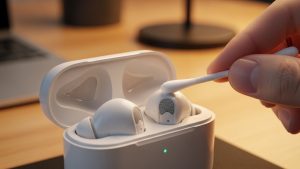
If you use AirPods or Galaxy Buds, take a close look at them right now. Yes, that brown stuff is earwax. It’s not just gross; it blocks the sound frequencies, making your music sound muffled.
I clean mine once a week. Dip a cotton swab (Q-tip) in a little bit of alcohol. Gently wipe the mesh grill and the inside of the charging case. Be very careful not to push the wax into the mesh; try to scoop it out. Cleaning the charging contacts in the case also ensures your buds charge properly every time.
Frequently Asked Questions (FAQs)
Q: Can I use hand sanitizer on my phone? A: Generally, no. Many hand sanitizers contain moisturizers (like aloe vera) or fragrances that leave a sticky residue on the screen. Some also contain widely varying levels of alcohol. Stick to pure 70% Isopropyl alcohol.
Q: How often should I clean my phone? A: Health experts recommend sanitizing your phone once a day, especially when you return home from public places. At a minimum, give it a good clean once a week.
Q: Is waterproof really waterproof? A: No. Phones are “water-resistant,” not waterproof. This resistance degrades over time. Never submerge your phone in soapy water to clean it, as seals can fail.
Q: Can I use compressed air? A: Be very careful. Apple advises against using compressed air because the high pressure can damage the internal membranes of the microphone and speakers. A manual dust blower (like for cameras) is safer.
Conclusion
Hygiene is important, especially for the device you touch 2,600 times a day. Make a habit to clean your tech gadgets every Sunday night. It only takes five minutes, keeps you healthy, prevents acne caused by dirty screens, and frankly, a clean phone just feels better to use. Treat your tech with respect, and it will last longer.