
Introduction
Asking the question “Are smart home cameras safe?” usually happens right after you buy one, plug it in, and realize that a tiny lens is staring at you in your living room. I experienced this exact moment of panic last year. I installed a popular video doorbell and an indoor camera to keep an eye on my dog while I was at work. It felt futuristic and convenient.
Then I read a news headline about a stranger hacking into a family’s camera and talking to them through the speaker. My stomach dropped. I immediately unplugged everything. I felt like I had invited a spy into my own home.
But living in fear isn’t the answer. Smart home technology offers incredible peace of mind—catching package thieves, monitoring elderly parents, or just checking if you left the stove on. The problem isn’t the technology itself; it is how we set it up. Most users leave the default settings on, essentially leaving the digital front door unlocked.
In this comprehensive 1200-word guide, I will deconstruct the real risks of smart cameras, explain the difference between Cloud vs. Local storage, and teach you the exact security protocols (like 2FA and Network Segmentation) you need to ensure that when you ask, “Are smart home cameras safe?” the answer is finally a confident “Yes.”
1. The Real Threat: It’s Not “Ocean’s Eleven,” It’s “Password123”
When we imagine hackers, we picture a guy in a hoodie typing furiously in a dark room, cracking complex codes. The reality is much more boring and terrifying. Most smart camera breaches happen because of Credential Stuffing.
As we discussed in our Password Manager Guide, hackers take usernames and passwords stolen from other data breaches (like an old Yahoo leak) and try them on Ring, Nest, or Arlo accounts. Because 65% of people reuse passwords, they get in.
Once they are in, they control the camera. They didn’t “hack” the camera’s firmware; they just walked through the front door using the key you gave them. The security flaw is almost always human error, not hardware failure. Understanding this distinction is the first step to securing your home.
2. The Cloud vs. Local Storage Debate: Who Owns Your Footage?
When your camera records a video clip, where does it go? This is the most critical privacy question you can ask.
-
Cloud Storage (Ring, Nest, Arlo): The video is encrypted and sent to the company’s servers (Amazon, Google, etc.). You access it via the internet.
-
Pros: Convenient, footage is safe even if the camera is stolen.
-
Cons: You are trusting a mega-corporation with videos of your family. If their server is breached, or if law enforcement subpoenas the footage, you lose control.
-
-
Local Storage (Eufy, Ubiquiti, Wyze): The video is saved to an SD card inside the camera or a hard drive in your house.
-
Pros: Privacy King. The footage never leaves your house. No monthly subscription fees.
-
Cons: If a burglar steals the camera, they steal the footage (unless you have a hidden backup drive).
-
My Recommendation: For indoor cameras (bedroom, living room), use Local Storage only. Keep the cloud cameras for the exterior (driveway, porch) where privacy is less of a concern but security evidence is vital.
3. Two-Factor Authentication (2FA): The Non-Negotiable Shield
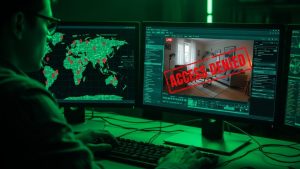
If you do nothing else after reading this article, do this: Enable Two-Factor Authentication (2FA). Most hacks occur because 2FA was turned off. With 2FA enabled, even if a hacker has your password, they cannot access your camera without the 6-digit code sent to your phone.
However, not all 2FA is equal.
-
SMS 2FA (Text Message): Better than nothing, but vulnerable to “SIM Swapping” attacks.
-
Authenticator App (Google/Authy): Much stronger. The code is generated on your device and changes every 30 seconds.
-
Hardware Key (YubiKey): The gold standard. You physically plug a key into your device to unlock it.
Check your camera app’s settings today. If 2FA is optional, make it mandatory. This single setting stops 99% of unauthorized access attempts.
4. Network Segmentation: Quarantine Your Cameras
This is a pro-level tip that costs $0. Your smart cameras should not be on the same Wi-Fi network as your laptop containing your tax returns or your phone containing your banking apps. Why? Because smart devices (IoT) often have weaker security standards. If a hacker compromises a cheap smart bulb or camera, they can “pivot” to other devices on the same network.
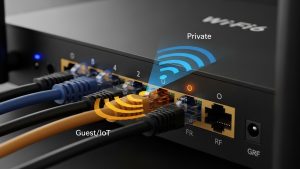
The Fix: Create a Guest Network. Most modern routers allow you to create a secondary “Guest Wi-Fi” network.
-
Log into your router admin panel.
-
Enable “Guest Network.”
-
Connect all your smart cameras, bulbs, and fridges to this Guest Network.
-
Keep your PC and Phone on the Main Network.
This creates a digital firewall. Even if the camera is hacked, the attacker is trapped in the Guest Network quarantine zone and cannot touch your personal data.
5. The Encryption Standard: Look for “End-to-End”
When video travels from your camera to your phone, it travels through the open internet. Is it naked, or is it armored? You want cameras that offer End-to-End Encryption (E2EE).
-
Standard Encryption: The video is encrypted in transit, but the company (e.g., Ring) holds the key. Theoretically, employees could view your footage.
-
End-to-End Encryption: Only your device holds the key. Even the company cannot watch your video. If the police want the footage, the company literally cannot give it to them because they can’t see it.
Ring and Eufy offer E2EE, but it is often turned off by default because it breaks some features (like viewing on smart displays). You must manually go into the settings and turn it on. Trade convenience for privacy every single time.
6. Physical Security: Don’t Be Creepy
Security isn’t just digital. It’s social. If you point a camera at your neighbor’s window, you aren’t improving security; you are invading privacy and potentially breaking the law.
-
Angles Matter: Ensure outdoor cameras point only at your property. Use the “Privacy Zones” feature in the app to black out your neighbor’s yard or the public sidewalk.
-
LED Indicators: Never tape over the recording light. It is an ethical requirement to let people know they are being recorded.
-
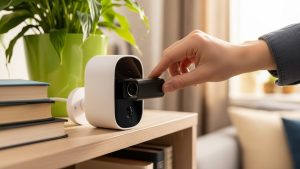
Indoor Etiquette: If you have guests over, turn the indoor cameras off. Many cameras now have a “Physical Privacy Shutter” that closes the lens. Use it. It builds trust with your friends and family.

Frequently Asked Questions (FAQs)
Q: Can hackers talk through my camera? A: Yes, if they gain access to your account. This feature is called “Two-Way Talk.” If your password is weak and reused, a hacker can hijack this feature to prank or scare you. Enabling 2FA completely prevents this specific horror scenario.
Q: Which brand is the most secure? A: Apple HomeKit Secure Video is widely considered the most private because analysis happens on your local hub (Apple TV/HomePod) and is E2E encrypted to iCloud. Ubiquiti (UniFi) is the best pro-sumer option for local storage without monthly fees.
Q: Do cameras slow down my Wi-Fi? A: They can. An HD camera uploading to the cloud constantly uses about 2-4 Mbps of upload bandwidth. If you have 4 cameras, that’s 16 Mbps. If your upload speed is low, your Zoom calls might lag. Check your internet plan before installing a whole-home system.
Q: Should I buy cheap unbranded cameras from Amazon? A: Avoid them. Generic, cheap cameras often have hard-coded backdoors, use insecure servers, and lack firmware updates. When it comes to privacy, you get what you pay for. Stick to reputable brands that have a public security bounty program.
Q: What happens to my footage if the internet goes down? A: Cloud cameras stop recording. They become paperweights. Local storage cameras (SD card) keep recording even without Wi-Fi. This is another major argument for choosing local storage options for critical security areas.
Conclusion
So, are smart home cameras safe? The answer is: They are as safe as you make them. Out of the box, they are vulnerable conveniences. But if you take 20 minutes to enable Two-Factor Authentication, set up a Guest Network, and choose strong passwords, they become powerful security tools. You don’t have to choose between safety and privacy. With the right configuration, you can—and should—have both. Secure your digital home today so you can sleep soundly tonight.