
Introduction
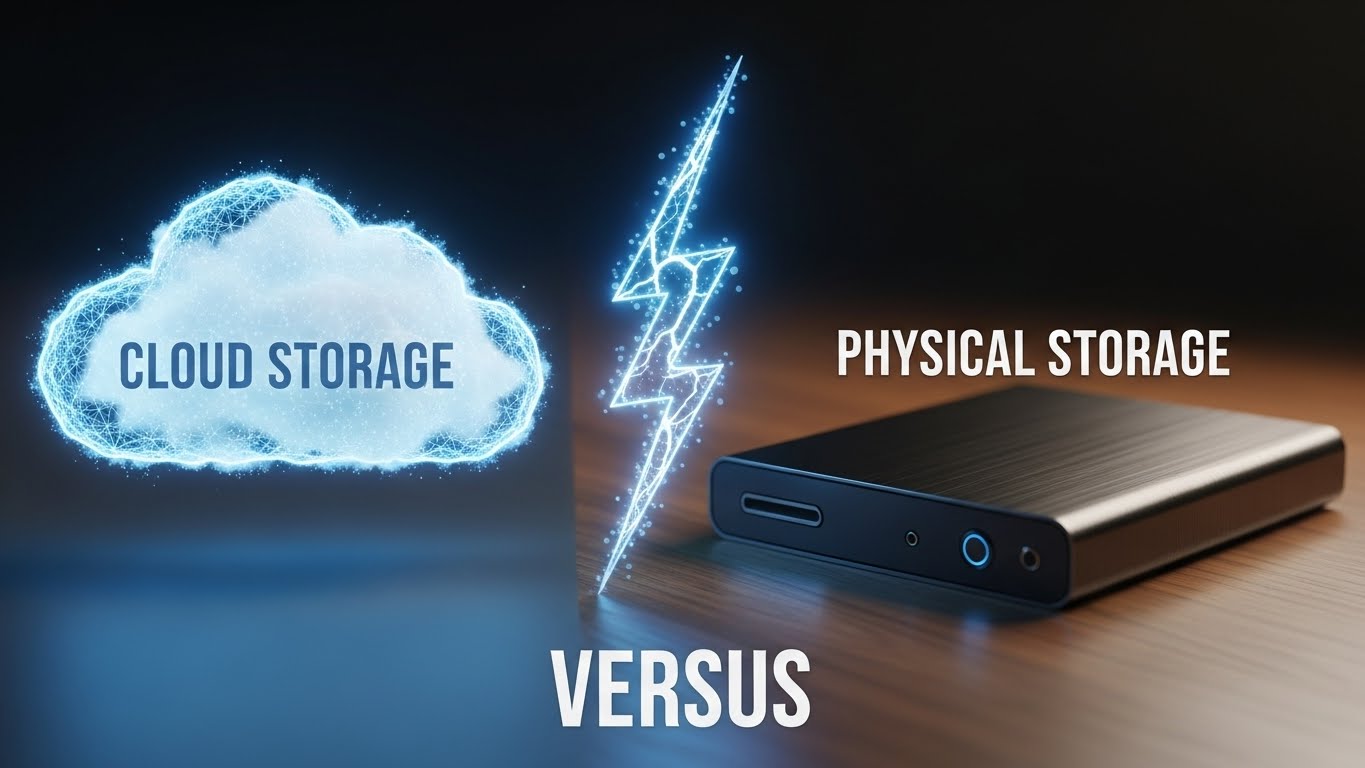
Choosing between cloud storage vs external drive backup solutions is one of the most critical digital decisions you will make this year. I recently had a mini heart attack that changed how I view data forever. I was sitting in a coffee shop, editing a 4K video project I had been working on for three weeks. Suddenly, my laptop screen flickered, froze, and went black. It wouldn’t turn on.
For about 30 seconds, I sat there frozen. I thought I had lost everything. Five years of family photos, important tax documents, creative projects, and that video—all gone in an instant. Luckily, it turned out to be a fried motherboard, and a technician managed to salvage the hard drive. But that moment of sheer panic reminded me of a crucial lesson: Data is incredibly fragile.
If you are like most people, you probably have the “Storage Full” notification popping up on your phone right now, and you are ignoring it. When it comes to backing up your digital life, the debate of cloud storage vs external drive is common, and both sides have passionate defenders.
I actually use both, but for very different reasons. In this comprehensive deep dive, let’s break down the pros, cons, long-term costs, and security features of each to find out which one is truly right for you.
1. The Case for Cloud Storage (The Convenience King)
Think of Cloud Storage as renting a high-tech self-storage unit on the internet. You don’t own the building, but you can put your stuff there. Services like Google Drive, iCloud, Dropbox, and OneDrive have revolutionized how we handle files.
-
Access Anywhere: This is the game-changer. I can take a photo on my phone, and it instantly appears on my iPad and my Windows laptop. I can log into a computer at a library in Tokyo and access my resume. You are not tied to a physical device.
-
The Ultimate Safety Net: Physical devices break. According to data from Backblaze, hard drives have an annualized failure rate that increases significantly after three years. If your house burns down, your laptop gets stolen, or you drop your phone in the toilet, your cloud data is safe. It lives on servers owned by tech giants like Google or Amazon, guarded better than Fort Knox.

The Downside: The Subscription Trap However, there is a catch. It’s the subscription model. You stop paying? You lose your space. It feels cheap at $2.99 or $9.99 a month, but do the math. Over 10 years, paying $9.99 a month for 2TB of storage adds up to $1,200. That is incredibly expensive compared to a one-time purchase of a physical drive.
2. The Case for External Drives (Speed and Control)
This is the old-school method, and honestly, it’s still my favorite for heavy lifting. This involves buying a 1TB, 2TB, or even 5TB drive that sits on your desk. When comparing cloud storage vs external drive, the physical drive wins on price, privacy, and raw speed.
-
One-Time Payment: You pay $60 to $100 once, and you own the storage forever. No monthly bills. No increasing fees.
-
Speed: If you are a content creator, video editor, or photographer, the Cloud is simply too slow. Transferring 50GB of 4K video over the internet takes hours (or days, depending on your bandwidth). Over a USB-C cable? It takes minutes.
-
Privacy: This is a big one. When you put files on the Cloud, you are trusting a company with your data. They scan files for viruses, and potentially for advertising data. With a hard drive, nobody is scanning your files. It’s your drive, and you control who sees it.
3. HDD vs. SSD: What Should You Buy?
If you decide to go the external route, you have two distinct choices. Understanding this hardware difference is vital.
-
HDD (Hard Disk Drive): These contain physical spinning magnetic platters. They are cheaper and hold massive amounts of data (up to 18TB+). However, they are fragile. If you drop an HDD while it is running, the mechanical arm can scratch the disk, destroying your data. They are best for archival backups that sit on a shelf.
-
SSD (Solid State Drive): These use flash memory (like a giant USB stick). They are faster, smaller, and more durable. If you drop an SSD, your data is usually fine. Companies like Crucial explain that SSDs can be up to 10x faster than HDDs. I highly recommend spending the extra money for an SSD like the Samsung T7 or SanDisk Extreme for daily use.
4. The Verdict: Cloud Storage vs External Drive
So, which one should you choose? If you choose only one, you are still at risk. A cloud account can be hacked or locked. A hard drive can fail, get lost, or be destroyed in a flood. The answer to cloud storage vs external drive is actually: Use Both.
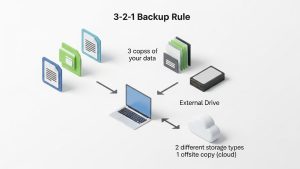
The smartest tech people follow the 3-2-1 Backup Strategy, a concept recommended by the US Cybersecurity and Infrastructure Security Agency (CISA).
-
Keep 3 copies of any important file.
-
Store them on 2 different types of media (e.g., your laptop’s internal drive and an external hard drive).
-
Keep 1 copy off-site (The Cloud).
Here is my personal workflow: I keep my “Working Files” (current projects) on my laptop. I back them up to a rugged External SSD once a week. And I let my photos and documents automatically sync to Google Drive. This way, if the internet goes down, I have my hard drive. If my house has a fire, I have the Cloud. It is the perfect safety net.
5. Security: Encryption and Ransomware
Security is another major factor. Cloud services generally use AES-256 encryption, which is bank-grade security. However, your data is only as safe as your password. If you use “password123,” your cloud is vulnerable.
External drives are safe from online hackers if they are disconnected from the internet. However, they are vulnerable to Ransomware. If a virus infects your computer while your backup drive is plugged in, it can encrypt your backup too. This is why having a Cloud version (which usually has “version history” to undo changes) is a lifesaver.
Frequently Asked Questions (FAQs)
Q: Does uploading photos to the cloud reduce their quality? A: It depends on your settings. Services like Google Photos have a “Storage Saver” mode that slightly compresses images to save space. If you want full quality, ensure you select “Original Quality” in the settings, though this uses more of your paid storage quota.
Q: How long does an external hard drive last? A: The average lifespan of a spinning HDD is about 3 to 5 years. SSDs can last longer, often 5 to 10 years, depending on how much you write data to them. Never trust a single drive with your only copy of data for more than 5 years.
Q: Is cloud storage safe from hackers? A: Generally, yes. Major providers invest billions in security. However, most “hacks” happen because of weak passwords or phishing scams. Always turn on Two-Factor Authentication (2FA) to keep your cloud account secure.
Conclusion
Data is fragile, and hard drives verify fail—it’s just a matter of when, not if. Whether you choose the Cloud for its convenience or a physical drive for its speed, the most important thing is that you do something today. Don’t wait for a crash to teach you a lesson. Understanding the detailed pros and cons of cloud storage vs external drive ensures you never have to feel that moment of panic when a screen goes black.