
Introduction
Writing a Kindle Paperwhite review feels a bit like betraying an old friend. I have always been a “real book” purist. I love the smell of old paper, the crack of a new spine, and the satisfaction of seeing a filled bookshelf. For years, I swore I would never switch to a digital slab. Reading on a screen felt like work, not relaxation.
Then, I moved apartments. Carrying 20 boxes of heavy hardcovers up three flights of stairs broke my back—and my resolve. I decided to try the Amazon Kindle Paperwhite (Signature Edition) for one week. One week turned into two years.
I haven’t stopped buying physical books completely, but my reading habits have fundamentally changed. I read 50% more now than I did before. Why? Because friction kills habits, and the Kindle removes friction.
In this deep-dive review, I will explain the specific E-Ink technology that saves your eyes, compare the reading experience to a physical book, and help you decide if the Kindle Paperwhite is the gadget that will finally help you finish your reading list in 2025.
1. The Screen Technology: Front-Lit vs. Back-Lit
The biggest misconception people have is that a Kindle is just a cheap iPad. It is not. Tablets and phones use LCD or OLED screens that are back-lit. They shine light directly into your eyes. This suppresses melatonin and causes eye strain, often referred to as Computer Vision Syndrome.
The Kindle uses E-Ink (Electronic Ink) technology.
-
How it works: The screen contains millions of tiny microcapsules filled with black and white pigment particles. When an electrical charge is applied, the pigments move to the surface to form text. Once the text is formed, it uses zero power to stay there. It looks like paper because it reflects ambient light just like paper.
-
Front-Lit: The Paperwhite has LEDs, but they point inward toward the screen, not outward toward your eyes.
This means you can read for 5 hours without the headache you get from scrolling Instagram. Understanding this distinction is crucial to this Kindle Paperwhite review.
2. The Warm Light Feature: Saving Your Sleep
The standout feature of the newer Paperwhite models is the Adjustable Warm Light. Blue light from screens tricks your brain into thinking it is daytime. If you read on an iPad before bed, you are sabotaging your sleep.
The Paperwhite allows you to shift the screen color from a stark white to a soft, golden amber. You can even schedule it to change automatically with the sunset. My Experience: I read for 30 minutes every night in bed. With the warm light set to max and the brightness set to low, it feels like reading by candlelight. It creates a cozy, sleepy atmosphere that a physical book with a harsh clip-on reading light simply cannot match.
3. Battery Life: The “Weeks, Not Hours” Reality
We are used to charging our devices every night. The Kindle breaks this anxiety loop. Amazon claims “up to 10 weeks” of battery life. In my real-world testing for this Kindle Paperwhite review, reading about an hour a day with Wi-Fi off, I charge it once a month.
This changes your relationship with the device. You don’t worry about it dying on a flight. You don’t need to pack a charger for a weekend trip. It feels less like a piece of tech and more like a passive object, which is exactly what you want when trying to disconnect.
4. The Ecosystem: Libby and Instant Gratification
Hardware is only half the story. The Amazon ecosystem is vast, but the real game-changer for me was Libby. Libby is an app that connects to your local public library. You can borrow eBooks for free on your phone and send them instantly to your Kindle.
-
The Flow: I hear about a book on a podcast -> I search for it on Libby -> I borrow it -> It appears on my Kindle in seconds.
-
Cost: $0.
This removes the barrier of “Should I spend $20 on this book?” If you read a lot, the device pays for itself in library savings within six months.
5. Distraction-Free Reading: The Anti-Tablet
“Why buy a Kindle when my iPad can read books?” Because your iPad can also check email, watch Netflix, and ping you with notifications. An iPad is an “Everything Device.” The Kindle is a “One Thing Device.”
There are no notifications. No pop-ups. No color. It is boring, and that is its superpower. When you unlock a Kindle, there is nothing to do but read. In an era of dopamine addiction (see our Digital Detox Guide), having a device that forces you to focus is invaluable. It helps you enter a “Deep Reading” state that is becoming increasingly rare.

6. Durability and Waterproofing (IPX8)
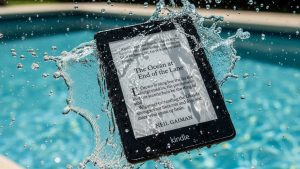
The Paperwhite is rated IPX8, which means it can withstand immersion in 2 meters of fresh water for up to 60 minutes. I tested this (nervously) in the bath. It worked perfectly. You can read in the pool, in the tub, or at the beach without fear. Wet pages stick together and tear; the Kindle just wipes clean. For vacation readers, this durability puts it ahead of physical paperbacks.
Frequently Asked Questions (FAQs)
Q: Does it feel like real paper? A: Close, but not exactly. The screen has a slight texture to it, so it isn’t slippery like glass. However, you don’t get the smell of paper or the feeling of turning a page.
Q: Is the Signature Edition worth the extra money? A: The Signature Edition adds Wireless Charging, Auto-Adjusting Brightness, and more storage (32GB vs 16GB). Unless you listen to a lot of audiobooks (which take up space) or hate plugging in cables, the standard Paperwhite is better value.
Q: How does it handle PDF files? A: Honestly? Poorly. You cannot “reflow” text on a PDF, so you have to pinch and zoom, which is slow on E-Ink screens. If you read a lot of academic PDFs, get an iPad or a larger E-Ink tablet like the reMarkable.
Q: Can I read in the dark? A: Yes. Unlike a physical book which requires an external light source, the Kindle is self-illuminated. This means you can read while your partner sleeps next to you without disturbing them.
Conclusion
So, what is the verdict of this Kindle Paperwhite review? Is it better than a real book? In terms of experience and nostalgia? No. A physical book will always be special. But in terms of utility? Yes. It is lighter, holds thousands of books, is waterproof, and allows you to read in the dark. It removes every excuse you have for not reading. If you want to build a reading habit in 2025, this is the best tool to buy.